

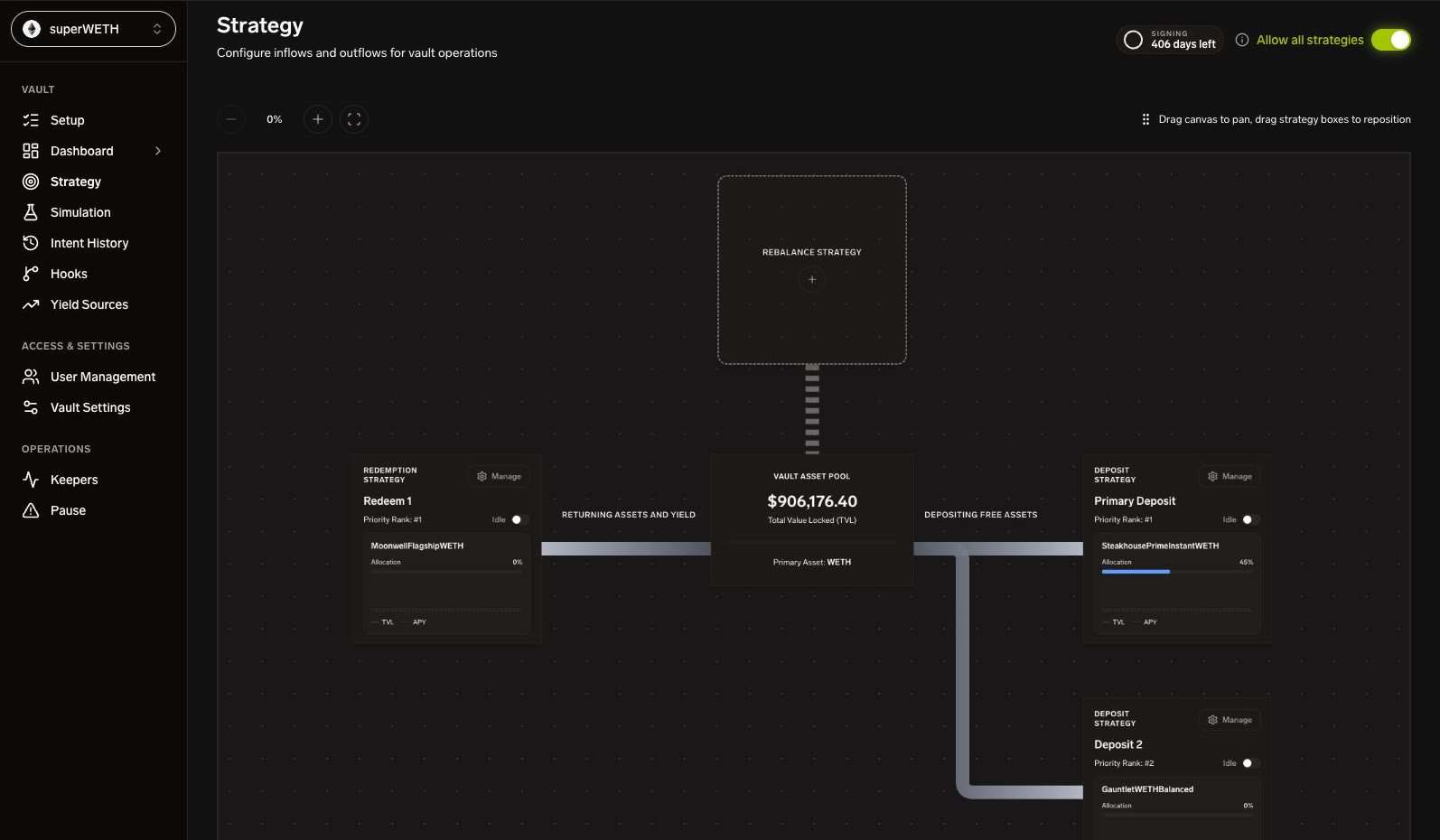
New to strategy authoring? Start with Strategy Quickstart, then use Strategy DSL and Action Config as field references.
Strategy Lifecycle
The Strategy Engine API currently models these states directly. Vault-level kill switches and emergency locks can still prevent a strategy from publishing even when the stored state is
RUNNING.
Create or Update a Strategy
A strategy contains:- Name.
- Indicators.
- Rule tree.
- Action config.
- Conviction config.
- Risk parameters.
- Cooldown and concurrency controls.
version for optimistic concurrency. A stale version returns 409 Conflict.
Authoring References
Strategy authoring is split into focused references:Reorder Strategies
Drag within a lane to change priority. The UI persists order through:vault_id, lane, and the complete ordered list of non-archived strategy IDs for that lane. The backend atomically assigns priorities 1..N from list position.
The ordered list must include every non-archived strategy in the lane exactly once. Priority is server-managed; create and update requests no longer set it.
Rule Trees
Rules are boolean trees:
Conviction config can require repeated passing ticks before publishing an intent.
Action Config
Action config tells the engine what to do after rules pass. Common fields include:actionsize_exprobjectiveexecution_nameexecution_addresstarget_addressfrom_addresstarget_typeexecution_paramsmax_slippage_bps
Emergency Locks
Emergency liquidity exits create target-scoped locks. While a lock exists for a yield source address:- User-defined strategies targeting that address cannot publish new intents.
- Affected toggles and reorder handles are disabled in the UI.
- Strategies on other targets remain operable.
- The paired
EMERGENCY_EXITstrategy is controlled from Pause Operations, not the normal editor.
emergency_locks from shard / vault state and displays a banner when active.
Intent History
The Intent History view is the operator-facing execution ledger for strategies. It maps Strategy Engine projections to OMS events and fills. Use it to answer:- Which strategy created the intent?
- What lifecycle state is it in?
- Which OMS events have arrived?
- Were fills mined?
- What gas was used?
- Which transaction hash settled the fill?